sale
autocom 2021 delphi 2021 installation windows
Multidiag Pro Software 2021.11 - 2020.23 from 24,95€ 34,95€
Multidiag diagnostic software Version 2021.11 and 2020.23 NEW MULTIDIAG PRO 2021.11 is the latest software on the market PRE-INSTALLED VERSION ON VIRTUAL MACHINE (VMware) , check your computer's compatibility with virtualization and VMware 15, 16 or 17 (2020.23) Important note: any error cannot be resolved by a refund. Or STANDARD INSTALLATION (2021.11) MULTIDIAG PRO diagnostic tool for Multidiag Pro software 2021.11 and 2020.23. Advantages of versions 2021.11 and 2020.23: 1. Update History 2. Bug fixes for: Complete fix for the ISS! Now the ISS works for all cars. The history function is fully operational. Full support for older VCIs with serial number 30250 etc... Now all the new cars are visible and available for the old units as well! Compatible with Win 7, 8, 10, 11 (64-bit). Multidiag Pro is a fast and reliable diagnostic tool that acts as a link between the vehicle and the computer. It works equally well on older and newer vehicles. With the CARS software, you can perform brand-specific diagnostics on cars and vans manufactured from 1988 onwards. A total of 69 different brands are supported. With the TRUCKS software, you can perform brand-specific diagnostics on light and heavy commercial vehicles, buses, and trailers manufactured from 1995 onwards. A total of 77 different brands are supported. The GENERIC diagnostic program is designed for legislation-based diagnostics, specifically targeting emissions-related fault codes. GENERIC is included in the CARS and TRUCKS packages. Multiplexer function, 2xHS CAN (ISO 11898-2), SW CAN (SAE J2411), K/L (ISO 9141-2), VPW (J1850), PWM (J1850), RS485 (J1708), TTL and (SPI, analog in, 5 volt out). Allows you to: Read and clear fault codes Real-time data reading Basic setting Scanning function Fully compliant with the eOBD/OBDII standard. MULTIDIAG software functions FLIGHT RECORDER With the flight recorder function, you can record real-time parameters while driving. During recording, you can highlight specific errors by pressing a button, allowing you to investigate them later. The device has built-in memory, eliminating the need for a computer. The memory card is not included. VOLTAGE CHECK When the device is connected to the vehicle, the unit checks the vehicle's battery voltage and automatically adjusts to the vehicle's voltage level (12 or 24 volts). If the voltage is too high or too low, the device will alert you with a sound and a light, and you will also be alerted by the battery icon in our diagnostic software. WINE CHASSIS NUMBER Our CARS software includes an intelligent function that allows you to read the chassis number of the vehicle you wish to diagnose. This ensures that the correct model and year are automatically selected. Furthermore, the engine code for vehicles commonly available on the market is also automatically selected. ISS Intelligent System Scan (ISS) reviews all vehicle systems and displays the fault codes stored in each system. This saves you time and provides a quick overview of the vehicle's overall condition. Once the ISS is complete, you can then select a specific control system to analyze the results in more detail. ISI Intelligent System Identification (ISI) automatically identifies and selects the type of controller installed in the vehicle. This ensures that the diagnostic session is executed correctly with the appropriate parameters, as required. REPORT FUNCTION Under this function tab, you can view the adaptations and settings available for a specific vehicle without having the vehicle physically present. With the help texts as a guide, you can plan and work efficiently, even in complex situations. OBD FUNCTIONS The device features unique multiplexing technology, allowing it to be used on all types of vehicles, regardless of voltage levels and communication standards. For vehicles that do not use the standard 16-pin connector, we offer a complete range of certified and customized cables and adapter kits. UNIVERSAL For most OBD functions, such as adjustments and programming, there are detailed instructions and help texts to assist you with your diagnostic work. You will find step-by-step information on the prerequisites, preparation, and implementation of various functions, making even the most complex function easy to perform. HELP FUNCTION For most OBD functions, such as settings and programming, there are detailed instructions and help texts to assist you with your diagnostic work. You will find step-by-step information on the prerequisites, preparation, and implementation of various functions, simplifying the execution of even the most complex tasks. >> Tutorial for installing Multidiag PRO 2020.23 software on VMware << >> Tutorial for installing Multidiag PRO 2021 software on Windows 10/11 <<
-34% sale
téléchargement dialogys 4.90 renault dacia
DIALOGYS Software 4.90 – End of 2019 19,95€ 29,95€
DIALOGYS 4.90 Software – End of 2019 for Renault / Dacia – Electronic After-Sales Catalog Description : Dialogys is after-sales software for Renault and Dacia that allows you to centralize all technical documentation from the entire global after-sales network. Repair manuals , technical bulletins , troubleshooting procedures , parts catalogs , diagnostic manuals , and labor times —you'll find all the technical documents needed to repair a vehicle. Compatible with Windows 7, 8, 10, 11 (32 or 64 bits) Dialogys is much more than just after-sales software for Renault and Dacia vehicles . It is a veritable goldmine of technical documentation, bringing together all the resources necessary for the repair and maintenance of your vehicle, regardless of its complexity. With Dialogys , you have access to a wide range of repair manuals, technical bulletins, and troubleshooting guides. Whether you're a professional mechanic or a DIY car enthusiast, you'll find valuable information here to solve the most common and complex problems. In addition to repair manuals, Dialogys also includes a comprehensive spare parts catalog. You can quickly and easily search for the parts you need, using advanced filters to find exactly what you require. This saves you valuable time when ordering parts and ensures a fast and efficient repair. But that's not all. Dialogys also offers comprehensive diagnostic manuals, allowing you to quickly identify potential problems and find the appropriate solutions. Whether you're dealing with an electrical, mechanical, or electronic failure, you'll have the tools you need to diagnose and resolve the issue. Finally, Dialogys also includes labor time information, allowing you to accurately estimate the time required to complete a repair. This helps you plan your work efficiently and provide your customers with precise cost and time estimates. In short, Dialogys is much more than just technical documentation software. It's an indispensable tool for all automotive aftermarket professionals, offering a complete solution for the repair and maintenance of Renault vehicles. Don't let technical issues slow you down. With Dialogys, you have everything you need to keep your vehicles in perfect working order. Purchase contents: 1x Windows download link for version 4.90 of DIALOGYS.
-34% sale
téléchargement davinci tuner tool
DaVinci software 1.0.28 19,95€ 29,95€
DaVinci software 1.0.28 DAVINCI 1.0.28 is a software that allows you to easily remove DPF, EGR, DTC, Intake Flaps and AdBLUE. It is useful for ECU optimization and reprogramming with tools such as KT200 , FoxFlash , PCMTuner , Autotuner , Kess Ktag and MPPS . Important! This software is not designed to interact with sensors or diagnostic tools. It is a standalone tool that allows you to make modifications to your vehicle's ECU maps. This version 1.0.28 offers improvements, including support for new file versions for VW Delphi DCM6.2v, as well as updated solutions for AdBlue on Fiat EDC17C69 and the addition of solutions for DPF, EGR, VAT and Lambda on Fiat DCM3.5 and Peugeot DCM3.5. Make your chiptuning and remapping work easier with DAVINCI 1.0.28 , compatible with Win7, Win10 and Win11 operating systems. IMPORTANT! Read this before you buy! This software is intended for professional use only. We do not provide any educational content or technical support to prevent misuse of the files. We decline all responsibility in case of misuse of software or files, as well as for any damage caused to your ECU in case of use of incorrect files or handling error. If you are not sure you can use this software/tool ​​correctly, we recommend that you do not make this purchase. ECU supported by DaVinci 1.0.28 ( ECU List ): ALFA - Bosch EDC15C2/C3 - Bosch EDC15C7 - Bosch EDC16C39 EURO4 - Bosch EDC16C39 EURO5 - Bosch EDC16C8 - Marelli 6JF /6F3 - Marelli 8F2/8F3 - Marelli 90F BMW - Bosch EDC16C31 - Bosch EDC16C35 - Bosch EDC16CP35 - Bosch EDC17C06 - Bosch EDC17C41 - Bosch EDC17C50 - Bosch EDC17C56 - Bosch EDC17C76 - Bosch EDC17CP02 - Bosch EDC17CP06 - Bosch EDC17CP09 - Bosch EDC17CP45 - Bosch MD1CP002 - Bosch MEVD17.2 - Bosch MEVD17.2.4 - Bosch MEVD17.2.5 - Bosch MEVD17.2.6 - Bosch MEVD172.7 - MEVD17.2.9 - MG1CS201 - Siemens MSD80 - Siemens MSD81 - Siemens MSV87 - Siemens MSV90 CHRYSLER - Bosch EDC17C69 DODGE - Bosch EDC17C69 FIAT - Bosch EDC15C2/C3 - Bosch EDC15C7 - Bosch EDC16C39 EURO4 - Bosch EDC16C39 EURO5 - Bosch EDC16C8 - Bosch EDC17C49 (Doblo. Ducato) - Bosch EDC17C69 - Bosch EDC17CP52 - Bosch ME17.3.0 - Delphi DCM3.5 - Marelli 6JF /6F3 - Marelli 8F2/8F3 - Marelli 9DF - Marelli IAW7GF - Marelli IAW9GFH - Siemens S1O803A IVECO - Bosch EDC17C69 - Bosch EDC17CP52 JEEP - Bosch EDC17C69 - Bosch EDC15C2/C3 - Bosch EDC15C7 LANCIA - Bosch EDC16C39 EURO4 - Bosch EDC16C39 EURO5 - Bosch EDC16C8 - Marelli 6JF /6F3 - Marelli 8F2/8F3 MB - Bosch EDC15C06 - Bosch EDC16C2 - Bosch EDC16C31 - Bosch EDC16CP31 - Bosch EDC16CP36 - Bosch EDC17C43 - Bosch EDC17C66 - Bosch EDC17CP01 - Bosch EDC17CP10 - Bosch EDC17CP46 - Bosch EDC17CP57 - Delphi CRD2 - Delphi CRD3 OPEL Delco E98 PEUGEOT - Bosch EDC16C0 - Bosch EDC16C34 - Bosch EDC16C39 - Bosch EDC16CP39 - Bosch EDC17C10 - Bosch EDC17C60 - Delphi DCM6.2 SMART - Bosch EDC15C06 - Bosch EDC16C2 - Bosch EDC16C31 VAG - Bosch EDC15P - Bosch EDC16C4 - Bosch EDC16CP34 - Bosch EDC16U1 - Bosch EDC16U31 - Bosch EDC16U34 - Bosch EDC17C46 - Bosch EOC17C54 - Bosch EDC17C64 - Bosch EDC17C74 - Bosch EDC17CP04 - Bosch EDC17CP14 - Bosch EDC17CP20 - Bosch EDC17CP24 - Bosch EDC17CP44 - Bosch EDC17CP20 - Bosch EDC17CP24 - Bosch EDC17CP44 - Bosch EDC17CP54 - Bosch EDC17CP74 - Bosch EDC17U01 - Bosch ME9.1 - Bosch MED17.1.1 - Bosch MED17.1.2 - Bosch MED17.1.6 - Bosch MED17.5.2 - Delphi DCM3.7 - Delphi DCM6.2 - Siemens PCR2.1 - Siemens PPDl.2 - Siemens Simos18
-38% sale
Pack 7 en 1 HardCut Limiter Diesel + Essence + Pop&Bang
Pack 7 in 1 HardCut Limiter Diesel + Gasoline + Pop&Bang 24,95€ 39,95€
Pack 7 in 1 HardCut Limiter Diesel + Gasoline + Pop&Bang IMPORTANT! Read this before you buy! This software is intended for professional use only. We do not provide any educational content or technical support to prevent misuse of the files. We decline all responsibility in case of misuse of software or files, as well as for any damage caused to your ECU in case of use of incorrect files or handling error. If you are not sure you can use this software/tool ​​correctly, we recommend that you do not make this purchase. Important! This software is not designed to interact with sensors or diagnostic tools. It is a standalone tool that allows you to modify the ECU maps of your vehicle. QLaunchr v1.0.0.5 Added a starting procedure for diesel engines. Addition of a diesel launch control system. ALFA - CITROEN - FIAT - LANCIA - OPEL (VAUXHALL) - PEUGEOT: MARELLI - MJ8DF AUDI - SEAT - SKODA - VOLKSWAGEN: BOSCH - EDC15P BOSCH - EDC15V BOSCH - EDC15VM BOSCH - EDC16U BOSCH - EDC16U1 BOSCH - EDC16U2.1 BOSCH - EDC16U31 BOSCH - EDC16U34 BOSCH - EDC17C54 BOSCH - EDC17C64 BOSCH - EDC17CP04 BOSCH - EDC17CP14 BOSCH - EDC17CP20 SIEMENS - PCR2.1 SIEMENS - PPD1.x BMW: BOSCH - EDC16C31 BOSCH - EDC16C35 ALFA-FIAT-LANCIA MARELLI - MJD6F3 FORD: BOSCH - EDC15P VISTEON - DCU102 HotStartr v1.0.0.1 Correction of the hot start map on TDI diesel engines. AUDI-SEAT-SKODA-VOLKSWAGEN BOSCH - EDC15P BOSCH - EDC15V BOSCH - EDC15VM BOSCH - EDC16U BOSCH - EDC16U1 BOSCH - EDC16U2.1 BOSCH - EDC16U31 BOSCH - EDC16U34 BOSCH - EDC17CP14 SIEMENS - PPD1.x FORD BOSCH - EDC15P Vmaxr v1.0.0.1 Modification of the VMAX speed limiter. AUDI-SEAT-SKODA-VOLKSWAGEN BOSCH - EDC16U1 BOSCH - EDC16U31 BOSCH - EDC16U34 BOSCH - EDC16CP34 BOSCH - EDC17C46 BOSCH - EDC15C54 BOSCH - EDC17CP04 BOSCH - EDC17CP14 BOSCH - EDC17CP20 BOSCH - ME7.5 ALFA BOSCH - EDC16C39 BMW BOSCH - EDC15C4 BOSCH - EDC16C31 BOSCH - EDC17C41 BOSCH - EDC17C76 BOSCH - EDC17CP02 SIEMENS - MSS60 CITROEN-PEUGEOT BOSCH - EDC17CP52 FIAT BOSCH - EDC16C39 MARELLI - MJ8DF HYUNDAI-KIA BOSCH - EDC16C39 OPEL (VAUXHALL) BOSCH - EDC16C9 BOSCH - EDC16C39 BOSCH - EDC17C59 BOSCH - ME1.5.5 BOSCH - ME7.6.2 SAAB BOSCH - EDC16C9 BOSCH - EDC16C39 UltraCuttr v1.0.0.3 Added a Hard Cut Limiter mod for diesel engines. AUDI-SEAT-SKODA-VOLKSWAGEN Bosch - EDC15_P Bosch - EDC16_C10 Bosch - EDC16_U Bosch - EDC16_U1 Bosch - EDC16_U2.1 Bosch - EDC16_U31 Bosch - EDC16_U34 Bosch - EDC16_CP34 Bosch - EDC17_C46 Bosch - EDC17_C54 Bosch - EDC17_C64 Bosch - EDC17_C74 (Beta) Bosch - EDC17_CP04 Bosch - EDC17_CP14 Bosch - EDC17_CP20 Bosch - EDC17_CP24 Bosch - EDC17_CP44 Bosch - EDC17_CP54 Bosch - EDC17_CP74 Bosch - EDC17_U01 Bosch - EDC17_U05 Siemens - PCR2.1 BMW Bosch - EDC16_C1 Bosch - EDC16_C31 Bosch - EDC16_C35 Bosch - EDC16_CP35 Bosch - EDC17_C06 Bosch - EDC17_C41 Bosch - EDC17_C50 Bosch - EDC17_C56 Bosch - EDC17_C76 Bosch - EDC17_CP02 Bosch - EDC17_CP09 Bosch - EDC17_CP45 Bosch - EDC17_CP49 Bosch - MD1_CP002 Bosch - MD1_CP032 FORD Bosch - EDC16_C34 Bosch - EDC17_C70 HONDA Bosch - EDC17_C58 HYUNDAI-KIA Bosch - EDC16_C39 LAND ROVER Bosch - EDC17_CP11 MERCEDES Boach - EDC16_CP31 OPEL (VAUXHALL) Bosch - EDC16_C9 Bosch - EDC16_C39 Bosch - EDC16_CP33 Bosch - EDC17_C18 Bosch - EDC17_C19 Bosch - EDC17_C59 Delphi - DCM_3.7 SAAB Bosch - EDC16_C9 Bosch - EDC16_C39 Pop&Bang v1.5 Added a Pop and Bang mod with different levels. Burbles / Crackle / Pop&Bang VAG BOSCH ME7.5 1.8T 20VT VAG BOSCH MED9.1 2.0 TFSI (A/C ACTIVATION) VAG BOSCH MED9.1 2.5 TFSI (A/C ACTIVATION) VAG BOSCH MED17.5 2.0 TFSI (A/C ACTIVATION) HardCut Limiter Petrol Engines v1.7 Added a Hard Cut Limiter mod for petrol engines. VAG BOSCH ME3.8.3 1.8T 20V VAG BOSCH ME7.1 2.7T V6 (S4/RS4) VAG BOSCH ME7.1.1 4.2 V8 S4 VAG BOSCH ME7.1.1 1.8T 20VT VAG BOSCH ME7.1.1 3.2V6 / R32 VAG BOSCH ME7.5 1.8T 20VT VAG BOSCH MED9.1 2.0 TFSI VAG BOSCH MED9.1 2.5 TFSI (RS3_TTRS) HardCut Limiter Diesel Engines v2.1.0 Added a Hard Cut Limiter POPCORN mod on diesel engines. VAG EDC16 1.9 / 2.0 TI PD VAG EDC17 CP14 / CP20 / C46 / C54 / C64 VAG / Porsche 2.7 / 3.0 TDI CR EDC17 CP04 / CP14 /CP44 VAG PCR2.1 1.6 TDI CR HardCut & Launch Control 2500 Rpm BMW EDC17 CP02 / CP09 / CO6 / C41 / C45 / C50 BMW EDC16 C31 / C35 PSA / FORD EDC17C10 ---Update-. PSA / FORD 1.6 HDI / 1.6 TDCI EDC16C34 VAG Siemens/Continental PPD VAG EDC16 2.7 / 3.0 TDI CR Mercedes EDC16C31 FIAT / FORD / OPEL / PSA 1.3 JD Multijet / CDTI / HDI Marelli MJD 6/8 -U VAG EDC17 U01 / U05 -New Solution-- KIA / Hyundai EDC17C08 BMW / LAND ROVER EDC15C4 DDE4 +Launch Control 2500 rpm---NEW. Opel Vauxhall PSG 16 "Rev Limiter" VAG EDC17 U01 / U05 -New Solution-- KIA / Hyundai EDC17C08 BMW / LAND ROVER EDC15C4 DDE4 + Launch Control 2500 rpm--NEW. Opel Vauxhall PSG 16 "Rev Limiter" Opel_Vauxhall EDC16 C9 /C39 VAG 1.2 TDI Delphi DCM3.7 ---New. Opel Vauxhall EDC17 C01 / C18 / C19• -Update- Opel Vauxhall / RENAULT / DACIA / SUZUKI / EDC16 C3 / CP33 / C36
-18% sale
KESS Master Version
KESS Master Version 139,95€ 169,95€
KESS Master Version - ECU Reprogramming Tool via OBD 2 This ECU reprogramming tool via OBD2 type KESS , GALLETTO , MPPS represents the pinnacle of computer programmers, offering unprecedented reliability and performance in the field of automotive reprogramming. Thanks to its ease of use, the KESS Master Version allows you to read and write original or modified files to the vehicle's ECU via its OBD2 port in just a few minutes. This versatile version supports a wide range of vehicles, including cars , motorcycles , trucks , tractors , and even boats . Featuring an intuitive interface, this tool aims to simplify operations as much as possible for automotive professionals. In just a few minutes, you'll be able to master the entire reprogramming process. Once the vehicle is identified, the KESS Master Version software guides you step by step. It tells you which cable to choose from those provided and explains the procedure to follow to complete the reprogramming. The process begins by reading the files inside the ECU using this tool. Then, you can modify the parameters using specialized software such as ECM, WinOLS , DAMOS , or Stage 1, 2, 3 CHIPTUNING files, before writing them back to the ECU. Flexfuel Bioethanol Reprogramming with the KESS Master Edition: Convert your multi-point injection gasoline vehicle to Flexfuel with the KESS Master Version reprogramming tool . This innovative solution allows you to choose between running on SP95/SP98 or E85 Super-Ethanol without the need for additional modules. The conversion is quick, simple, economical, and completely undetectable during vehicle inspections or at the garage. Enjoy half the price of your next fill-up! Power and torque programming: Are you considering a Stage 1 or Stage 2 remap, or do you want to modify options such as the EGR valve, DPF , SCR , AdBlue , limiters , etc.? With the KESS Master Version, gain performance , driving pleasure, and reduce your fuel consumption at a negligible cost. Remap not only your vehicle's engine ECU , but also those of your family and friends, or launch a new business with unlimited use. Features of the KESS Master Version: Vehicle support up to 2016. Multilingual support: English, German, Spanish, Italian, Portuguese, French. No usage limits. Compatible with Windows XP Professional / Win7 / Win8 / Win10 / Win11 Reading and writing the ECU via the OBD2 port, without needing to remove the ECU. Improved checksum error correction. Features of the KESS Master Version: Real-time battery voltage monitoring. Recovery function in case of problems. Automatic checksum correction (depending on the ECU). Clearing DTC fault codes (depending on the ECU). Multiple reading and writing speed options. Package contents: 1 x KESS Master Version Main Unit 1 x Tricore Module 1 x TRICORE Cable 1 x Standard OBD2 Cable 1 x 144300KCAN Cable 1 x K4 Cable 1 x 14P600KCK4 Cable 1 x Universal Cable 144300K201 1 x USB Cable 1 x Download link and installation guide via email IMPORTANT! Read this before you buy! This software is intended for professional use only. We do not provide any educational content or technical support to prevent misuse of the files. We decline all responsibility in case of misuse of software or files, as well as for any damage caused to your ECU in case of use of incorrect files or handling error. If you are not sure you can use this software/tool ​​correctly, we recommend that you do not make this purchase.
-15% sale
Kit de Diagnostic Renault / Dacia 2025 – CAN CLIP V240 avec Nouvelle Interface VCI 3
Renault / Dacia Diagnostic Kit – CAN CLIP V231/V234 239,95€ 279,95€
🔧 Renault / Dacia Diagnostic Kit – CAN CLIP V231 / V234 (OFFLINE – New VCI 3 Interface) ⭐ Last version usable offline without a Renault token until 2016–2017 ⚠️ IMPORTANT INFORMATION – READ BEFORE BUYING Since recent developments on Renault systems, all CAN Clip versions above V234 (V237, V240, etc.) require a Renault token online as soon as the vehicle is identified . ➡️ Without a token, menus are greyed out, functions are denied, and communication is incomplete. 👉 Conclusion: the last versions actually usable offline until 2016-2017 are V231 and V234. 👉 For 100% token-free diagnostics, even after 2017, use CAN CLIP V192 version with the old RTL2002 probe. 🔗 Direct link: https://autodiag-france.com/products/logiciel-can-clip-v192-pour-renault-dacia 🖥️ OS & Hardware Compatibility (IMPORTANT) 🔵 CAN CLIP V231 / V234 – New VCI 3 (this product sheet) ✔️ Windows 10 & Windows 11 (64-bit) compatible ✔️ Compatible with Windows 7/8 , but less recommended ✔️ Works ONLY with the new VCI 3 interface ❌ The older RTL2002 probe is not compatible with these versions 🟢 CAN CLIP V192 – Older RTL2002 probe (no token) ✔️ Compatible with Windows 7 32-bit only ✔️ 100% offline ✔️ Ideal for vehicles up to 2019, no token required 👉 Redirection: https://autodiag-france.com/products/logiciel-can-clip-v192-pour-renault-dacia 🎯 Why choose V231 / V234? ✔️ Recommended version for reliable offline use Complete diagnostics without an internet connection Ideal for Renault & Dacia vehicles up to 2016–2017 Proven stability with the VCI 3 Access to most local functions (DTCs, parameters, actuators, maintenance, etc.) ❗ General limitation of V231 / V234 Vehicles after 2017 can request a Renault token, even in simple read mode. ➡️ In this case, use V192 + RTL2002 to bypass the restriction. 🔗 Direct link V192: https://autodiag-france.com/products/logiciel-can-clip-v192-pour-renault-dacia 🔍 Features available offline (V231 / V234) 🧩 Complete diagnosis Reading/clearing fault codes Communication with all control units: engine, ABS/ESP, airbag, UCH/BCM, automatic transmission, injection, dashboard… Real-time data (parameters, graphs) ⚙️ Tests & calibrations Actuator tests Resets following maintenance Basic calibrations (depending on model) 🛠️ Simple programming & configurations Programs available offline depending on the year Equipment configuration Maintenance settings ⚠️ Not available offline (requires Renault token) Key/card programming Secure telecoding ECU updates (ECU reprogramming) Advanced Learning Operations related to Renault servers 🚗 Vehicle compatibility (indicative) Renault & Dacia: 1999 → ~2023 Protocols: K-Line & CAN ⚠️ Vehicles manufactured after 2017 require a token -> use V192 🧰 Hardware & software included CAN CLIP software V231 or V234 (depending on the option chosen) VCI 3 Interface VCI 1 and VCI 3 Drivers OBD2 cable USB cable Offline Installation Guide ❌ Why we don't sell V237 / V240 They require a Renault token for most transactions. Menus blocked, communication limited Not usable offline in a non-concessionary environment ➡️ These versions are detrimental to productivity → we only offer V231 / V234 , the latest and truly useful versions. ⁉️ FAQ – Updated and expanded ► Do V231 / V234 work on Windows 10 / 11? ✔️ Yes, with VCI 3 only . ► Can I do everything offline with V231? No. ✔️ Diagnostics, DTCs, live data, tests and maintenance. ❌ Advanced coding, keys, ECU updates → Renault token required. ► What is the difference between V231 and V234? V231 : the most stable version, recommended for offline use V234 : stable version ► What if I want to avoid Renault tokens altogether? ➡️ Use CAN CLIP V192 + older RTL2002 probe 100% offline Compatible up to 2019 🔗 https://autodiag-france.com/products/logiciel-can-clip-v192-pour-renault-dacia ► Can I use V231/V234 with my old Full Chip probe? ❌ No. V231/V234 require VCI 3 . ► Can I install multiple versions on the same PC? ❌ No, risk of driver corruption. Uninstall properly before changing. ► Do V237 / V240 work without a token? ❌ No. You will experience blockages, grey menus, and communication errors.
-29% sale
Logiciel CAN Clip V231 pour Renault - Dacia set full chip version haut de gamme complet
CAN Clip V231 software for Renault - Dacia 24,95€ 34,95€
CAN CLIP V231 — Renault / Dacia diagnostic software (Download) CAN CLIP V231 is the stable, offline-ready version of the Renault/Dacia diagnostic software. It is compatible with VCI 1 sensors (pre-2025 hardware) and VCI 3 sensors (2025 and later hardware). Drivers for each sensor type are included . Summary & Compatibility Recommended stable offline versions: V231 and V234 . Important: All versions above V234 (e.g., V237, V240) require a Renault token (software key/dongle) upon vehicle authentication — these versions are therefore not suitable for offline use. Supported probes: VCI 1 — probes prior to 2025 (Bosch / Renault VCI) VCI 3 — probes from 2025 onwards (new generation) Drivers provided for each probe (VCI 1 and VCI 3) with the download. ℹ️ Important: certain so-called secure operations — such as online telecoding, advanced learning, ECU updates or key and hands-free card programming — require a Renault token and cannot be carried out offline , regardless of the software version. Furthermore, vehicles produced after 2016-2017 may also require a token for any communication with the computers, making offline diagnostics impossible . In this case, it is recommended to use an older RTL2002 probe with CAN CLIP V192 software (maximum) to ensure compatibility and access to diagnostics on 2016 to 2019 models. What CAN CLIP does (main features) Unlike limited universal tools, CAN CLIP performs almost all the functions of the original dealer tool (except for operations requiring online server access): Reading and clearing fault codes (DTCs) Reading parameters (logging / graphs) Actuator tests Configuration and coding of control units (injectors, valves, wheel profiles, equipment options...) Calibration & self-learning (EGR, DPF, adaptations, oil change, etc.) Resetting maintenance indicators Access and operations on: engine, automatic transmission, UCH, ABS/ESP, airbag, air conditioning, dashboard, power steering, adaptive suspension, etc. NO online access or automatic reprogramming/configuration System & language compatibility OS: Windows 7 / 8 / 10 / 11 (64 bits) Languages: broad coverage (French, English, German, Spanish, Polish, Russian, etc.). Note: The interface uses the system language — set your PC to the desired language if you want the corresponding interface. Installation & Drivers Drivers included for VCI 1 (Bosch / Renault VCI) and VCI 3 (package V9.x). Detailed installation tutorial (VCI1 & VCI3, activation, drivers): see our installation guide. How to install CAN Clip v220 and later? Essential tips: Temporarily disable your antivirus and firewall during installation. Do not install multiple versions of CAN CLIP simultaneously on the same machine (cleanly uninstall the old version first). When connecting to the vehicle, ensure the battery is > 13V to avoid cut-outs. Download/Purchase Content 1 × Access to the CAN CLIP V231 download (installation archive) 1 × Archive Drivers & Activation containing: VCI 1 & VCI 3 drivers, help documents (VCI3 Wi-Fi mode), and video installation guide. Step-by-step installation documentation (detailed tutorial provided). How to install CAN Clip v220 and later? Warnings & best practices Do not use versions ≥ V237 in offline mode: they require a Renault token and may block access to critical functions. How to install CAN Clip v220 and above? To avoid conflicts, only install the drivers corresponding to your probe (VCI1 or VCI3) on a given machine. Keep a record of the package and the provided elements (drivers, documentation) for any reinstallation. Need help? / Guided installation For the complete procedure (installation steps, activation, driver installation for VCI1 and VCI3, Wi-Fi configuration for VCI3, troubleshooting), please refer to the associated installation tutorial. How to install CAN Clip v220 and later?
Sold out -34% sale
Winols 4.7 - Logiciel d'édition de cartographie pour la reprogrammation moteur
WinOLS 4.7 software 19,95€ 29,95€
Winols 4.7 - Engine mapping editing software for engine reprogramming Winols is a powerful software designed specifically for engine mapping , enabling advanced ECU reprogramming . With Winols, you can modify and optimize engine parameters to achieve significant performance gains , increasing both the torque and power of your vehicle. This version 4.7 allows you to edit maps extracted from computers, to read DAMOS to precisely locate the different maps, and even to perform the checksum . Features and functionalities Winols allows you to edit maps extracted from ECUs, offering precise customization according to your needs. Reading DAMOS to easily locate the different maps in the ECU file. Function to perform the checksum , ensuring the integrity of the changes made. Software fully activated, ready to use. Compatible with Windows 7 to Windows 11 operating systems in 32-bit and 64-bit versions. No need for a virtual machine (VM) or anything else, Winols runs directly on your computer. Supported languages: German, English, French, Italian, Polish and Russian. Video installation guide provided. Disadvantages Fewer Checksums plug-ins registered than versions 4.26 and 4.51. Requires disabling the internet and setting the PC's date to 1/10/2021 . Performance optimization with WinOLS Winols simplifies the search and modification of maps within the ECU data archive. You can name and modify these maps as needed, adjusting parameters to optimize engine performance. With its diverse editing methods, Winols offers maximum flexibility to meet your engine remapping requirements, whether for Stage 1 , Stage 2 , or Stage 3 . Other useful products with Winols In addition to WinOLS, you'll need a complete set of tools for engine remapping . This includes a tool for extracting and rewriting maps , files for stages 1, 2, and 3 , DAMOS files for precise map localization, and detailed tutorials on using WinOLS and editing maps. With this combination of tools and resources, you'll be able to make advanced modifications to the engine map, customizing your vehicle's performance to your specific needs. Screenshots of the Winols 4.7 interface List of checksum plugins registered on WinOLS 4.7 OLS270_Bosch_DME_DDE.dll OLS280_Siemens_SID803.dll OLS289_CASE.dll OLS523_Cummins_ecfg_importer.dll OLS803_Denso32.dll OLS807_Bosch_MED17.dll OLS820_Delphi_Tricore.dll OLS830_Bosch_MDG1.dll IMPORTANT! Read this before you buy! This software is intended for professional use only. We do not provide any educational content or technical support to prevent misuse of the files. We decline all responsibility in case of misuse of software or files, as well as for any damage caused to your ECU in case of use of incorrect files or handling error. If you are not sure you can use this software/tool ​​correctly, we recommend that you do not make this purchase.
sale
MPPS V22 Outil de programmation universel de calculateur (ecu)
MPPS V18 / V21 / V22 from 99,95€ 119,95€
MPPS V18 / V21 / V22 Universal ECU Programming Tool MPPS allows access to the computers of many vehicles in order to read their mapping, make modifications to it and rewrite it in the ECU. MPPS has a simple and intuitive interface that allows even complete novices to extract, modify and inject their mapping in minutes. MPPS works under Windows 7, 8, 10, 11 (64bit) The MPPS reprogramming interface allows you to: Read and save your original map data. Re-inject a new map. Enable or disable components of your computer. Reprogram your ECU (increased power and reduced fuel consumption) MPPS V22 Complete Set with Adapters - Supports New Functions: New Features Added: New FRF decryption in Tricore mode. Added support for PSA ME7.4.5 K-line/CAN and special mode. Added support for Opel Vauxhall ME9.6. Added support for Renault Delphi DCM 1.2 Can. Added support for VAG Simos 6.2/6.3. Fixed a checksum issue for Delphi E87. New anti-tuning search for EDC17 ECUs. Added support for (M)EDC17 Slave ECUs, both TP2 and UDS. Added support for Fiat JTDM Marelli Multijet MJD9DF CAN. Various corrections and improvements. 1. MPPS V22 - A Powerful Programming Tool: The MPPS V22 offers general read/write operations and supports checksums. In addition, it offers advanced features, including: Excellent recovery capabilities. In some cases, MPPS can recover data from ECUs with which other tools cannot even establish communication. In some ECUs, it even works without a program installed (blank memory). Full or partial read/write selectable when the computer allows it. Selecting the read/write speed. "Changes only" function for faster programming (when supported by the computer). Automatic K-Line/CAN detection, with the option to bypass and force the preferred means of communication. Temporary bypass of the immobilizer to allow bench programming for ME7 systems. Boot mode support for ECUs with C167 and ST10 processors. EEPROM read/write functions for certain computers. 2. Tricore Boot + OBD Unlocking Module: This module expands functionality with: TPROT / DS verification function to test TPROT activation without opening the ECU. Automatic detection of the type of computer and processor, without manual selection. Read/write all EEPROM, IROM, XROM memories (if possible). Patch function for OBD Flash of TPROT ECUs in Boot mode (currently only supports VAG). Support for unlocking VAG Simos PCR and Simos 8 with external EEPROM. Checksum correction for Bosch MEDC17 IROM and EEPROM. Checksum correction for Simos PCR, Simos 8 and SID208, SID209, SID305, SID807 IROM. NEW! Support for Bosch service mode to read the password on ECUs using TP12+. NEW! Special file utility for creating OBD unlock files from VAS FRF/SGO containers (Flash containers not included!). This feature will allow you to work fully via OBD on locked ECUs! Package Contents: 1* MPPS V22 Main Unit 1* USB cable 1* CD 1* Complete Tricore Kit 1* BOSCH TRICORE Adapter 1* 6-pin adapter cable for BOSCH TRICORE 1* DB15 Adapter Cable BOSCH TRICORE 1* DB15 cable for the connection bench 1* Storage box Choose the MPPS V22 Complete Kit with Adapters for reliable programming and extended functionality. Order yours now and ensure you have the perfect tool for your automotive diagnostic and programming needs. The MPPS is compatible with the majority of vehicles currently on the road. Click here to view the list of vehicles supported by version V18. Click here to view the list of vehicles supported by version V21. Click here to view the list of vehicles supported by version V22. Available in different languages: Afrikaans, Albanees, Bahasa Melayu, Czech, Cymraeg, Dansk, Deutsch, Esti, English, Espanol, Filipino, Finnish, Francais, Galego, German, Hrvatski, Indonesia, Italiano, Kiswahili, Latviesu, Lietuviskai, Magyar, Malti, Nederlands, Norsk, Polska, Portuguese, Romanian, Slovencina, Slovenski, Srpski, Suomea, Svensk, Turkish IMPORTANT! Read this before you buy! This software is intended for professional use only. We do not provide any educational content or technical support to prevent misuse of the files. We decline all responsibility in case of misuse of software or files, as well as for any damage caused to your ECU in case of use of incorrect files or handling error. If you are not sure you can use this software/tool ​​correctly, we recommend that you do not make this purchase.
-26% sale
CHIPTUNING STAGE 1 DAMOS WinOLS Super Mappack Cours Methode explication
DAMOS Package + Mapping + Training 299,95€ 399,95€
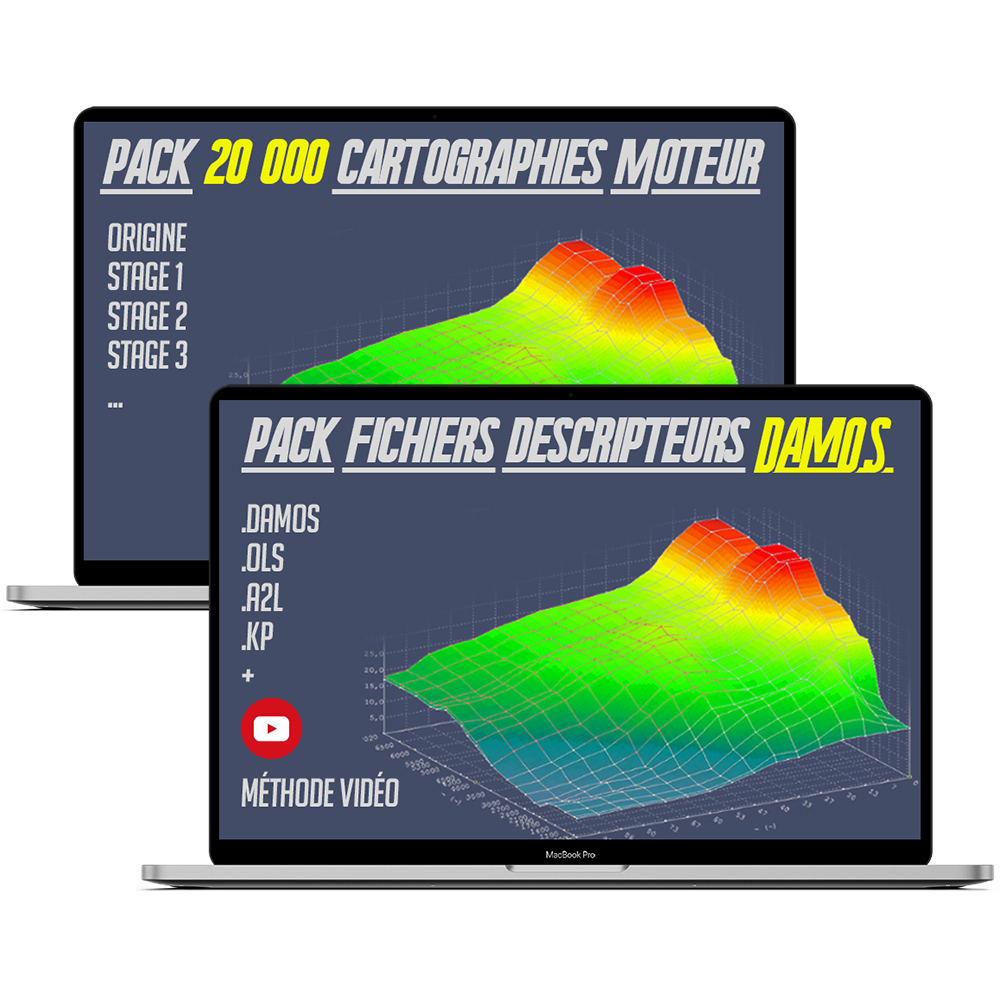
ECU Reprogramming Pro Package | DAMOS WinOLS + Stage 1–3 Maps DAMOS professional library, ECU mapping and WinOLS training The Ultimate ECU Remapping Bundle is a comprehensive technical library for engine remapping professionals and advanced WinOLS users . This pack brings together, in a single coherent set, the data, descriptors and training materials necessary to carry out professional level engine reprogramming (Stage 1, Stage 2 and Stage 3). It is intended exclusively for users with the technical skills required to work on engine control units. General presentation This bundle provides a comprehensive working basis for analyzing, modifying, and optimizing ECU files. It combines: An extensive database of ECU maps A complete collection of DAMOS files and mappacks Structured training in the professional use of WinOLS The package allows for rigorous, methodical and precise work on a wide variety of calculators, with coverage primarily focused on the European market . Detailed contents of the bundle 1. Professional ECU mapping archive – 20.5 GB Over 20,000 ECU files Original maps (ORI) Files modified as technical examples Stage 1, Stage 2 and Stage 3 configurations Data intended for comparative analysis and adaptation Extensive vehicle coverage Numerous European brands and engine types Advanced work tool Analysis support for studies of engine maps, structures, and strategies See the description of the 20,000 map pack here. 2. DAMOS & Mappacks Collection – 74 GB DAMOS 2021 – Mega Pack (41 GB) Recent descriptor files Modern ECU compatibility Rapid and reliable identification of maps Access to scaling factors and construction axes DAMOS Classic Library (33 GB) Files sorted and organized Formats included: .A2L .OLS .KP .DAM Structured technical foundation for precise work under WinOLS This collection allows for methodical work , in accordance with the original software structures of the computers. See the description of the Damos descriptor file pack here. 3. WinOLS video training & learning materials – 4 GB Video modules dedicated to engine remapping: Stage 1 Stage 2 Stage 3 Training in the professional use of WinOLS 4.26 Video tutorials in English Explanatory PDF materials This content is designed to structure a professional work methodology , not for general public initiation. See the description of the Winols video training here. Terms of use and technical warnings For professional use only This product is intended for professional or expert use only. No individualized technical support is provided for the included files. ⚠️ Manual verification required (critical) The modified files provided in this bundle are exclusively technical examples . It is imperative to: Compare each file with the exact .bin file of the targeted calculator Check : Software version Memory organization Offsets and internal structures ❗ Any incompatibility, even minor, can lead to serious malfunction or an irreversible ECU crash. The user assumes full responsibility for any modifications made. Digital products Digital product No returns or refunds Final sale after order confirmation Delivery Download link sent by email Maximum time limit: 24 hours Check your Spam/Junk Mail folders Visual information Promotional images that may depict a computer or equipment are for illustrative purposes only . No hardware is included with this product.
-21% sale
FGtech Galletto 4 Master V54 - Full Chip 0475
Galletto 4 - V54 119,95€ 149,95€
FGtech Galletto 4 Master V54 - Full Chip 0475: Engine control unit programmer via OBD or benchtop. Link to FGtech Galletto V54 software: Buy FGtech Galletto V54 software GALLETTO works natively under Windows XP and Windows 7 in 32/64 bits. Compatible with vehicles up to 2012. >> List of vehicles covered Advanced Reprogramming with the GALLETTO The GALLETTO is an advanced engine control unit (ECU) reprogramming tool, offering exceptional flexibility for professionals and passionate enthusiasts . Thanks to its ability to quickly read and write ECU files, it simplifies diagnostic and performance tuning operations for modern vehicles. Key Features of GALLETTO The GALLETTO tool excels in its ease of use and intuitive interface , making reprogramming accessible to everyone. Whether via the OBD 2 port for quick access or using cables for benchtop connection (BDM JTAG) when necessary, the GALLETTO ensures broad compatibility with a variety of ECUs up to 2012 . Flexfuel BioEthanol Programming One of the GALLETTO 's remarkable features is its ability to convert multi-point injection gasoline vehicles to Flex Fuel . This conversion allows drivers to choose between SP95/SP98 or E85 Super Ethanol without requiring an additional control unit. Not only is it an economical option, but it's also undetectable during vehicle inspections and at garages. Power and Torque Optimization For those seeking to increase their vehicle's performance , the GALLETTO offers programming options such as Stage 1 and Stage 2. Furthermore, it allows manipulation of parameters like the EGR valve , particulate filter (DPF) , selective catalytic reduction (SCR) system , and other limiters , thus offering in-depth customization according to each user's specific needs. Master Version and Advanced Benefits The GALLETTO Master version includes advanced features such as full recovery mode , DTC (Diagnostic Trouble Code) analysis and clearing, and real-time battery voltage monitoring . Compact and self-contained , it stands out for its ability to perform writes via OBD and Tricore BDM , while remaining easy to use without prior connection to the vehicle. Extended Compatibility and Supported Protocols The GALLETTO is compatible with a wide range of vehicles , including cars , light commercial vehicles , trucks , tractors , and even boats . It supports various communication protocols with ECUs up to 2012 , making it a versatile tool suitable for diverse environments and needs. Communication Protocols and Automatic Checksum Calculation The protocols supported by the GALLETTO include NEW JTAG, BDM, MOTOROLA, FREESCALE, and INFINEON , covering a wide range of programming needs. It also offers automatic checksum calculation to ensure the integrity of modified data, including legacy protocols such as Bosch MExx, EDCxx, Marelli, Siemens, Delphi, Lucas, Denso , and others. Contents of the GALLETTO Package Each GALLETTO kit includes an FGTech GALLETTO 4 interface , an ECU boot cable , a BDM adapter , several BDM adapters and connectors , as well as OBD2 and USB cables. EOBD2 software is included on CD for quick and easy installation. Conclusion In conclusion, the GALLETTO is an essential tool for automotive professionals and tuning enthusiasts looking to maximize their vehicles' performance while enjoying ease of use and exceptional compatibility . Whether for Flex Fuel reprogramming, engine power optimization , or advanced protocol management , the GALLETTO offers a complete solution that meets the most demanding market requirements. GALLETTO runs natively under Windows XP and Windows 7 in 32-bit mode It is possible to install the software on Win 8 / 10 / 11 with a specific procedure. IMPORTANT! Read this before you buy! This software is intended for professional use only. We do not provide any educational content or technical support to prevent misuse of the files. We decline all responsibility in case of misuse of software or files, as well as for any damage caused to your ECU in case of use of incorrect files or handling error. If you are not sure you can use this software/tool ​​correctly, we recommend that you do not make this purchase.
-34% sale
Winols 4.51 - Logiciel d'édition de cartographie pour la reprogrammation moteur
Winols 4.51 software (VM) 19,95€ 29,95€
WinOLS 4.51 on VM - Map editing software for engine remapping Winols is a powerful software designed specifically for engine mapping , enabling advanced ECU reprogramming . With Winols, you can modify and optimize engine parameters to achieve significant performance gains , increasing both the torque and power of your vehicle. This version 4.51 allows you to edit maps extracted from computers, to read DAMOS to precisely locate the different maps, and even to perform the checksum . Pre-installed versions on Virtual Machine (VMWare), please check your computer's compatibility with virtualization and VMware 15, 16 or 17. Important note: any error cannot be resolved by a refund. Features and functionalities Winols allows you to edit maps extracted from ECUs, offering precise customization according to your needs. Reading DAMOS to easily locate the different maps in the ECU file. Function to perform the checksum , ensuring the integrity of the changes made. Fully activated, ready-to-use software with many checksum plugins enabled. Compatible with Windows 7 to Windows 11 operating systems in 64-bit versions, compatible with virtualization. Installed on a Windows 7 virtual machine (VM), Supported languages: German, English, French, Italian, Polish and Russian. Installation guide included. Performance optimization with WinOLS Winols simplifies the search and modification of maps within the ECU data archive. You can name and modify these maps as needed, adjusting parameters to optimize engine performance. With its diverse editing methods, Winols offers maximum flexibility to meet your engine remapping requirements, whether for Stage 1 , Stage 2 , or Stage 3 . Other useful products with Winols In addition to WinOLS, you'll need a complete set of tools for engine remapping . This includes a tool for extracting and rewriting maps , files for stages 1, 2, and 3 , DAMOS files for precise map localization, and detailed tutorials on using WinOLS and editing maps. With this combination of tools and resources, you'll be able to make advanced modifications to the engine map, customizing your vehicle's performance to your specific needs. Screenshots of the Winols 4.51 interface List of Checksum plugins OLS1006_ODX.dll, OLS220_Bosch_TDI.dll, OLS222_Siemens_MS4x.dll, OLS223_Bosch_ME7_BMW.dll, OLS224_Bosch_CR10.dll, OLS225_Bosch_ME7_Volvo.dll OLS226_Bosch_ME20.dll, OLS228_Bosch_CR2_BMW.dll, OLS231_Bosch_M5x.dll, OLS232G_Bosch_ME7.dll, OLS233_Bosch_V41.dll, OLS234_Bosch_V31_Volvo.dll OLS235_Bosch_CR2.dll, OLS236_Bosch_M521.dll, OLS237_Siemens_MSS52.dll, OLS238_SDB.dll, OLS241_Bosch_ME27_28.dll, OLS242_Siemens_SIM4LE.dll OLS243_Bosch_Smart.dll, OLS244_SB_VAG.dll, OLS248_Siemens_Volvo_Renault.dll, OLS250_Bosch_ME7_Peugeot.dll, OLS253_Siemens_HDI.dll OLS254_Bosch_CR2_Volvo.dll, OLS255_Bosch_MS6x.dll, OLS258_Saab.dll, OLS259_Marelli.dll, OLS260_Bosch_ME7_Fiat.dll, OLS262_Bosch_ME7_2002.dll OLS264_Bosch_V41_2002.dll, OLS266_Bosch_ME9_BMW.dll, OLS267_Delphi_DCI.dll, OLS269_Ford_TDCI.dll, OLS270_Bosch_DME_DDE.dll OLS275_LUCAS_Volvo.dll, OLS276_TEMIC_Truck.dll, OLS277_Siemens_MS45.dll, OLS278_Scania_HPI.dll, OLS280_Siemens_SID803.dll OLS283_Sagem.dll, OLS284_Delphi_Ford.dll, OLS285_EDC16_RSA.dll, OLS286_Bosch_ME9_Volvo.dll, OLS287_Motorola.dll, OLS288_Bosch_MED9_VAG.dll OLS289_CASE.dll, OLS290_Bosch_EDC7.dll, OLS291_Bosch_ME9_MB.dll, OLS293_Denso.dll, OLS297_Siemens_MSS65.dll, OLS298_Siemens_Simos.dll OLS299_Siemens_PPD.dll, OLS521_DamosImport.dll, OLS550_Dataareas.dll, OLS800_Siemens_MSV70.dll, OLS804_Trionic_8.dll OLS805_TRW_Volvo.dll, OLS807_Bosch_MED17.dll, OLS809_Delphi_DCM3.dll, OLS810_Delphi_Truck.dll, OLS811_Visteon_ST10_Tricore.dll OLS824_TEMIC_Truck2.dll IMPORTANT! Read this before you buy! This software is intended for professional use only. We do not provide any educational content or technical support to prevent misuse of the files. We decline all responsibility in case of misuse of software or files, as well as for any damage caused to your ECU in case of use of incorrect files or handling error. If you are not sure you can use this software/tool ​​correctly, we recommend that you do not make this purchase.
sale
VAG OBD2 Scanner
VAG OBD2 Scanner from 109,95€ 129,95€
VAG OBD2 24.8 Diagnostic and Programming Scanner for VAG Group The VAG tool allows you to connect to a VAG group vehicle and perform diagnostics on all its control units. You will also have access to advanced programming and coding features that a simple diagnostic tool will not have. The probe models are: The probe with the ATMEGA162 compatible chip allows communication with vehicles from 1996 to 2017. Please note that this product does NOT work online and cannot be updated. If you have previously used the product online and it is locked, it is obsolete. Please also note that the cable must be connected to the car before the LED will light up. The scanner does not work with USB 3.0 ports, only with USB 2.0 ports. It is recommended to disable your antivirus software and disconnect from the internet before installing and using the scanner. The probe with the original STM32F429 chip enables communication with vehicles from 1996 to 2023. The scanner can be connected to the Internet, perform long encoding, and be updated. All language versions are the latest versions. It can be updated via the official website using the loader, and the English version can be launched directly. The scanner also has a real ARM ST32F429 chip and is compatible with cars from 1996 to 2023. It supports multiple languages, including English, Spanish, French, Italian, German, Polish, Portuguese, Russian, Danish, Dutch, Swedish, Hungarian, Romanian and Czech.   This OBD scanner will allow you to perform the following operations: Reading and clearing error codes Reading parameters (recording and graphical display) Actuator testing Computer configuration Coding (injectors, electronic valves, rim size, equipment level, etc.) Calibration and self-learning (oil change interval calibration, EGR valve replacement, DPF, etc.) Resetting maintenance indicators Etc. You will be able to communicate with the following computers: Diesel/petrol injection Automatic transmission Central Passenger Compartment Unit (CPU) ABS/ESP Airbag Air Conditioning Dashboard Comfort systems Power steering Adaptive suspension Etc. This tool allows you to perform engine diagnostics on all brands of the VAG group (Audi, Volkswagen, Seat, Skoda). Package contents: 1x Diagnostic Interface  1x Software The VAG OBD2 software is available here. IMPORTANT : Please follow the installation instructions on the CD exactly / Download QR Code Remember to disable your antivirus software and your internet connection before use or installation. If your CD is broken in the package, which commonly happens due to transport, contact us and we will send you the download links for the software. /!\ It is important to note that we are not responsible for any misuse of tools, software or files. We assume no responsibility for any damage caused to your ECU if incorrect files are used or if an error is made!
-13% sale
Kit de Diagnostic pour PSA [2025] : Peugeot - Citroën - DS - Opel
Diagnostic Kit for PSA [2025]: Peugeot - Citroën - DS - Opel 219,95€ 249,95€
PSA Diagnostic Solution - Complete Diagnostic Tool and Software for Citroën, Peugeot, DS and Opel Looking for a high-performance diagnostic tool for Citroën, Peugeot, and DS vehicles? Discover our PSA Diagnostic Kit, a must-have for automotive enthusiasts. Ensure you get the most accurate and comprehensive information about your vehicle with this sophisticated kit. What software is used for PSA diagnostics? The diagnostic software is for all PSA group vehicles up to 10/2024, and Opel vehicles based on Peugeot/Citroen, from 2020 onwards . Works on Windows 7, 8, 10, 11 in 32/64 bit What probe is supplied for PSA diagnostics? The probe is a FULL CHIP version . This high-end diagnostic tool offers increased stability in diagnostic functions, parameter reading, ECU configuration, and ECU programming (>2016-2017). Supplied with 12V wiring. Did you know that our PSA Diagnostic Solution offers advanced features to meet all your automotive diagnostic needs? Discover the unparalleled advantages of our complete kit. Performance and Features of the PSA Diagnostic Solution: Reading and clearing error codes. Recording and graphical visualization of parameters. Actuator testing for precise intervention. Configuring the calculators is easy. Advanced coding (injectors, electronic valves, rim size, equipment level, etc.). Calibration and self-learning for optimal management (oil change interval calibration, EGR valve replacement, DPF, etc.). Resetting maintenance indicators for proactive management. And much more. Extended Compatibility with Calculators and Components: Engine: Engine computer diagnostics, injection computer diagnostics (diesel, petrol, flex-fuel, gas, etc.), injector programming, EGR valve calibration. Braking: Diagnostics of ABS and ESP control units, diagnostics and maintenance of the parking brake, brake system bleeding. Pollution: Diagnosis and regeneration of the particulate filter, control of the Adblue module, electronic control of pollutant emissions, control of the lambda probe. Maintenance: Resetting/initializing the maintenance counter/oil change, purging various fluids (brakes, coolant), reading/clearing engine faults, particulate filter maintenance. Air conditioning: Complete diagnosis of the electronic and mechanical system, reading of the cooling circuit parameters, testing of the controls. Ground connection: Electronic tire size configuration, electronic tire configuration (winter/summer), tire pressure adjustment, electronic valve configuration, steering angle sensor calibration (steering angle initialization). Safety: Activation of safety airbags (locking/unlocking), configuration of a new airbag control unit, diagnostics of airbag control units, configuration of the rain sensor, configuration of automatic headlight activation, activation of xenon headlights, activation of the reversing radar. Equipment: Dual dice, car radio activation, CD changer configuration, alarm activation/configuration, towbar configuration, bicycle towbar configuration. WARNING: This list is provided for guidance purposes only, subject to the availability of the function on the relevant computer. Languages ​​Supported by the PSA Diagnostic Kit: English, German, French, Japanese, Russian, Spanish, Portuguese, Swedish, Turkish, Dutch, Polish, Italian, Hungarian, Greek, Czech. Installation Tips for an Optimal Experience with the PSA Diagnostic Kit: During installation, disable your antivirus and firewall to prevent any corruption or deletion of files. Works under Windows 7, 8, 10, 11 in 64 bit . Processor compatible with virtualization if VM version. Complete Contents of the PSA Diagnostic Kit Package: 1x PSA Diagnostic Solution/Kit Interface 1x USB Cable 1x 12V clamp cable 1x Software V9.200 to download 1x Digital Installation Guide Optimize your automotive diagnostic experience with our PSA Diagnostic Solution/Kit, the essential choice for automotive enthusiasts. Order yours now for accurate diagnostics and efficient maintenance of your PSA vehicle.
-41% sale
Logiciel FGtech Galletto V54 : Reprogrammation Avancée de Calculateur Moteur
Galletto 4 Software - V54 14,95€ 24,95€
FGtech Galletto V54 Software: Advanced Engine Control Unit Reprogramming The FGtech Galletto V54 software is specifically designed to work with the FGtech Galletto V54 tool for engine control unit (ECU) reprogramming . It offers an advanced solution for fast reading and writing of ECU files, compatible with a wide range of vehicles via OBD or benchtop connection. Link to FGtech Galletto V54 tool: Buy FGtech Galletto V54 tool Main features: Ease of use Fast reading and writing of ECU files. Extended compatibility : Supports calculators latest generation . Flexibility : Intuitive use for professionals and amateurs . Flexfuel programming : Transformation into Flex fuel (SP95/SP98 or E85) without an additional control unit. Performance improvement Power programming and option management such as EGR valve, DPF, SCR, Adblue . Master Version Advanced features including Complete recovery, analysis and removal of DTC errors . Key advantages: Versatility : Writing via OBD and Tricore BDM . Compact Format compact for practical use. Compatibility : Supports a variety of vehicles and protocols up to 2012 . Supported protocols: NEW JTAG - BDM - MOTOROLA - FREESCALE – INFINEON, and other specific protocols. System configuration: Compatible with Windows XP and Windows 7 in 32/64 bit. For more details on vehicle compatibility and supported protocols, see the included manual. IMPORTANT! Read this before you buy! This software is intended for professional use only. We do not provide any educational content or technical support to prevent misuse of the files. We decline all responsibility in case of misuse of software or files, as well as for any damage caused to your ECU in case of use of incorrect files or handling error. If you are not sure you can use this software/tool ​​correctly, we recommend that you do not make this purchase.
-15% sale
Cable S.1279  PR 9780.x4
Cable S.1279 / PR 9780.x4 59,95€ 69,95€
OBD S.1279 Diagnostic Cable for Lexia 3 PP2000 - Professional Module for Citroën and Peugeot Product Description: The OBD S.1279 Professional Interface Module diagnostic cable for Lexia 3, PP2000, Diagbox, allows you to diagnose Nemo, Biper, Boxer III and Jumper III vehicles. S.1279 module of PPS2000 Lexia-3 for Citroën and Peugeot (Nemo, Bipper, Boxer III, Jumper III). Connected between the Lexia3 interface and the new car models. Compatible with the following vehicles: Peugeot Bipper Peugeot Boxer III Peugeot Boxer III minibus Citroën Nemo Citroën Jumper III Citroën Jumper III minibus Package contents: S.1279 OBD2 Male - OBD2 Female Module

30-day money-back guarantee*

Subject to conditions

Free delivery within the EU

Maximum payment security

Easy returns within the EU

Apple Pay Maestro Mastercard PayPal Visa